
Duct calculator
Compare duct sizes from your field readings.
Use airflow and friction-rate inputs to compare round and rectangular ducts. Enter a manual size to check its velocity and friction before choosing the dimensions for the job.


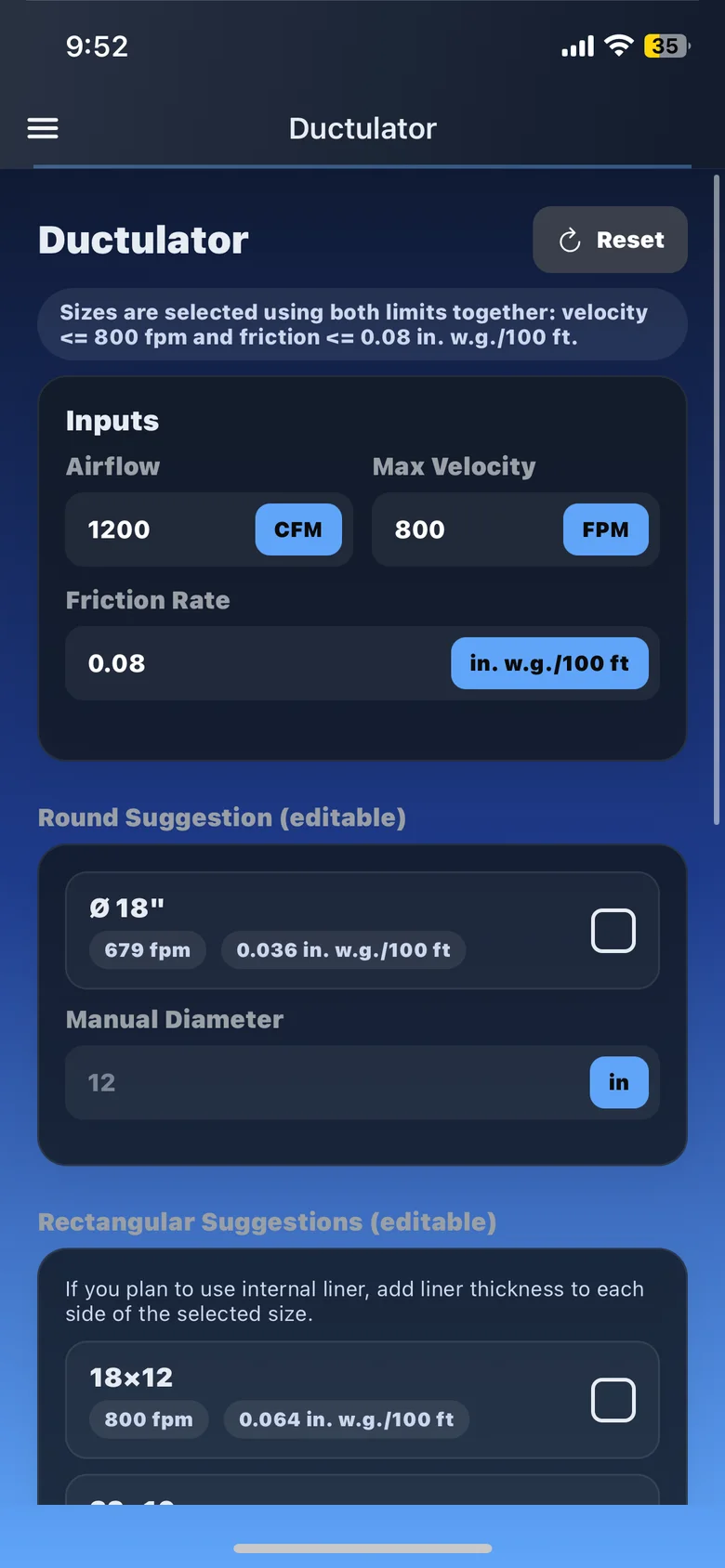
Compare duct sizes before choosing the dimensions.
Compare round and rectangular options
Enter the airflow and friction rate for your calculation to compare duct-size options in the app.
Check a size you already have
Enter a diameter or rectangular dimensions to see the calculated velocity and friction for your airflow.
Keep pressure, friction, and sizing together
Move between static-pressure, friction-rate, and duct-sizing tools in one app as you work through the system.
Keep the sizing job for the next visit
Basic and Pro let you save airflow jobs and reopen them on mobile or the web dashboard.
Frequently asked questions
What inputs do I need?
Use your airflow target in CFM and the friction-rate inputs for the calculation. To check a manual size, enter a round diameter or rectangular width and height.
Can I use it as a digital ductulator?
Yes. Compare round and rectangular duct sizes using airflow and friction rate, then check manual dimensions when the job calls for them.